

Coffee Spectra for iPhone
Measure green coffee with your iPhone.
Fluorescent seeds from a photo under 365 nm UV, and screen size from photos on the tray. Use it on its own, with no account and no internet, or as the companion app to Prism that sends each scan straight to a sample.
Developed by Christopher Feran of Hinterland Coffee Strategies.
Two measurements, one camera
UV fluorescence
Count what glows
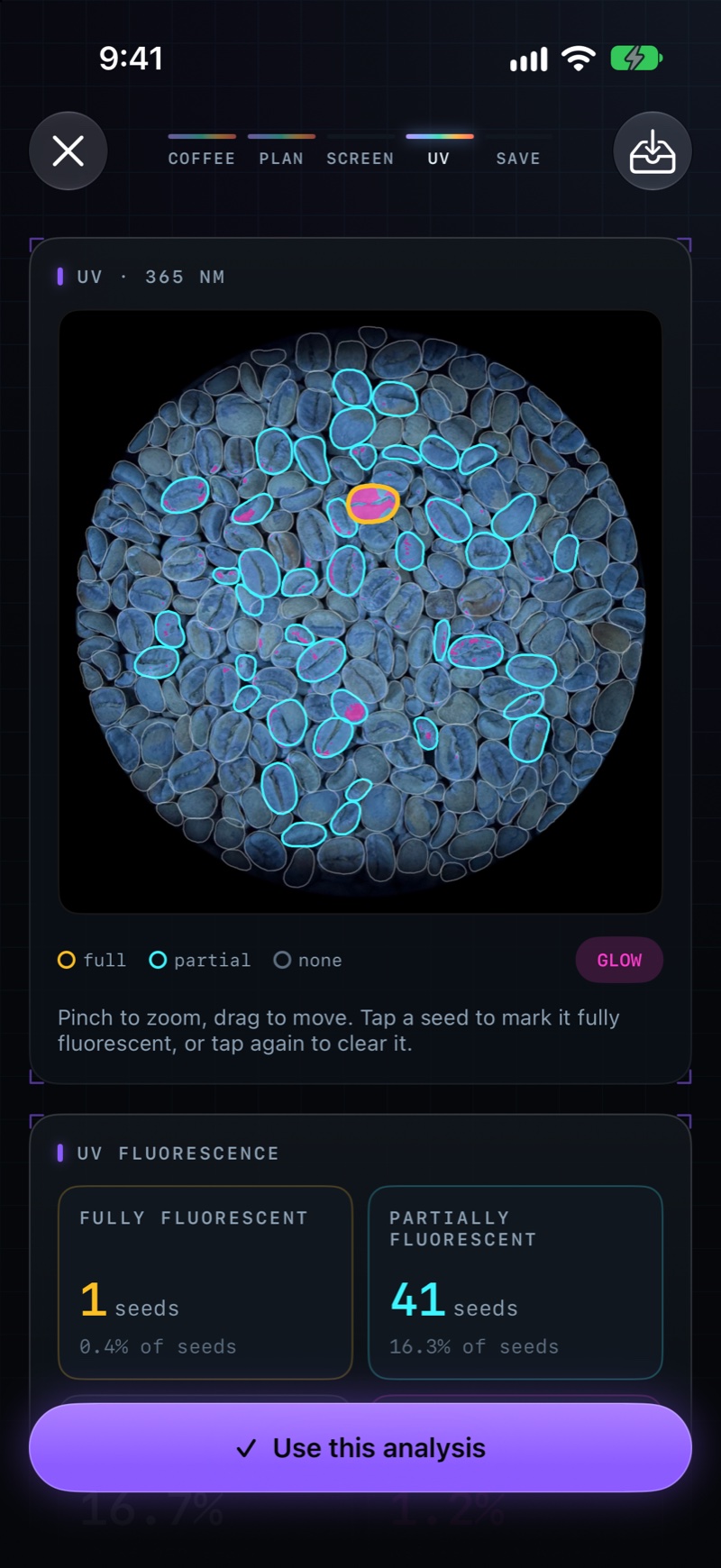
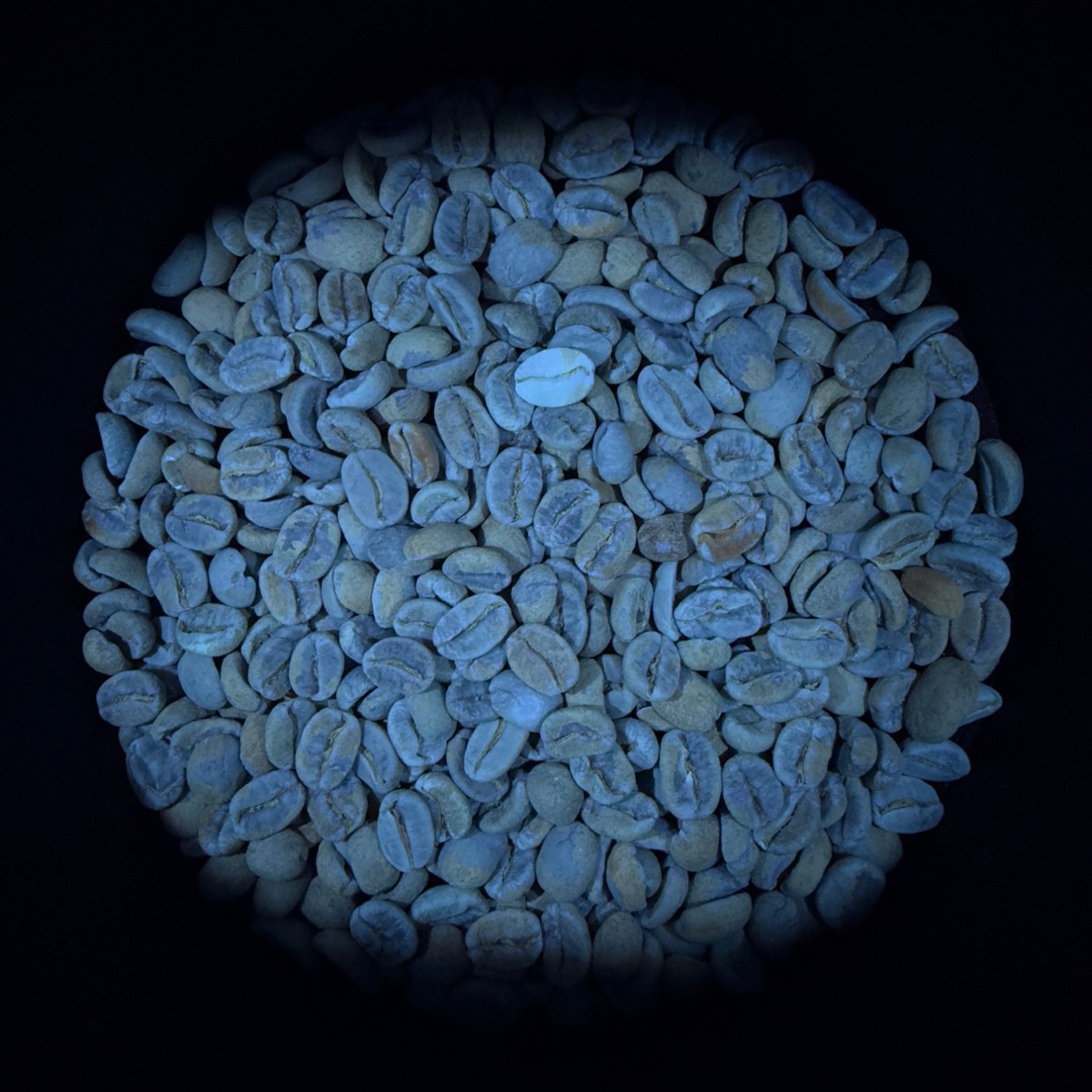
Green coffee that fluoresces under 365 nm light is telling you something about how it was dried and stored. Spectra finds every seed in the photo and reports:
- Fully fluorescent seeds: count and percentage
- Partially fluorescent seeds: count and percentage
- Any fluorescence, as a share of seeds
- Glowing area, as a share of pixels, calibrated by painting the glow you mean
Screen size
A screen distribution without the sieves
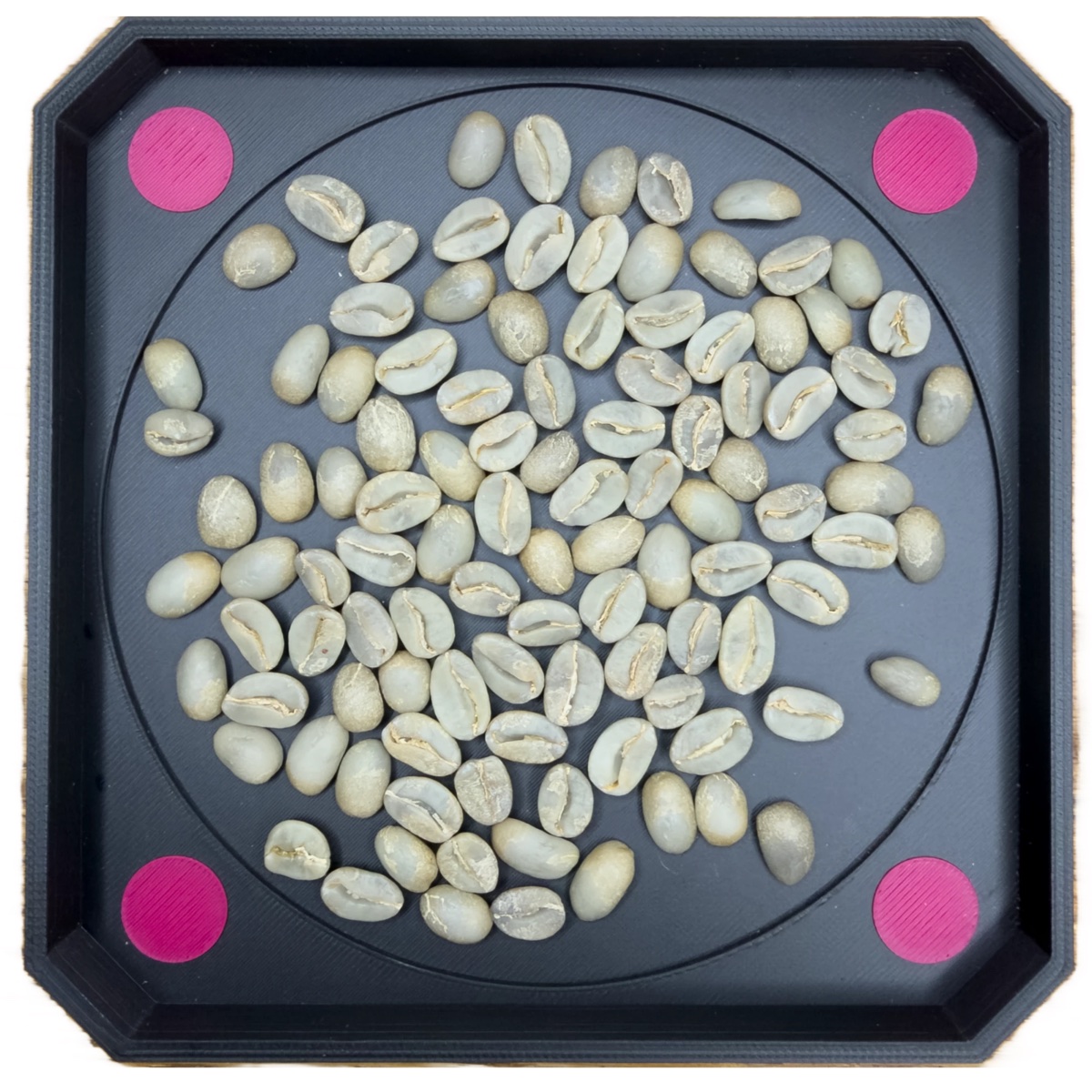
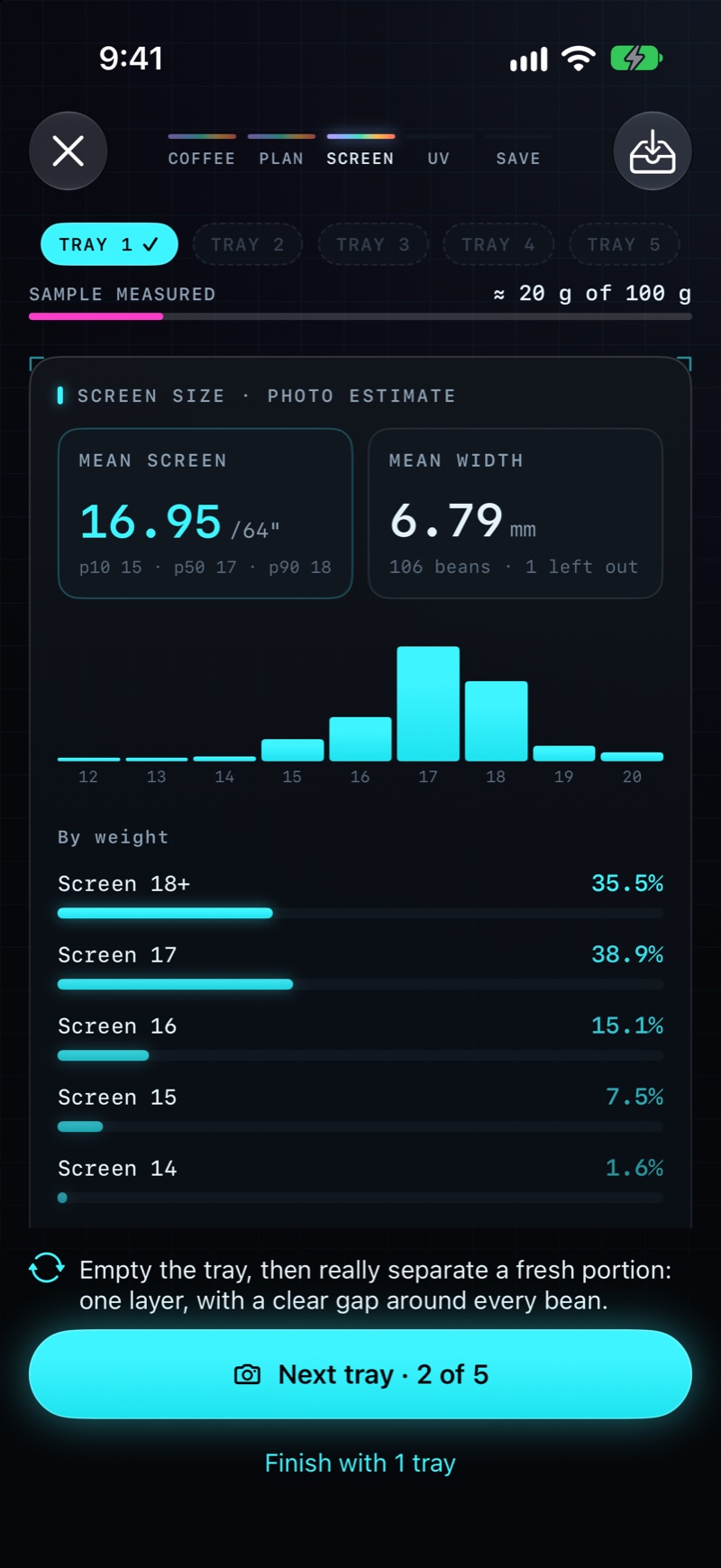
Spread a portion on the Prism tray in one layer, with a clear gap around every bean, and photograph it, then repeat with fresh beans: three to five trays per sample give a steady reading, and a bar shows how much of a 100 g sieve sample you have measured so far. The four magenta reference dots fix the scale, so Spectra can measure every bean. No tray? Set four coins of one kind at the corners and Spectra finds them for itself.
- Bean count, mean screen and percentiles
- The 16+, 14–15 and below-14 split
- Each tray measured while you shoot the next
- Pinch to zoom on the tray, and tap a bean to include or leave it out
- Clearly labeled as a photo estimate, never as a sieve reading
Standalone and private
Unpaired, Spectra makes no network requests at all. Your scans, results and exports stay on the phone.
A library of coffees
Save every scan to a coffee by name, by your own ID or by scanning its label. Interrupted? Save the scan as a draft and finish it later.
Consistent photos
The macro lens at the 1× view, fixed white balance under UV, and the same framing Prism uses, so results compare across days.
Companion app to Prism
Standalone, or paired with Prism in one scan
If you run Prism, show a pairing code in Settings and point Spectra at it. From then on, a capture lands on the right sample’s physical evaluation.
1 · Pair
Scan the one-time QR code from Prism. It expires after five minutes and works once.
2 · Find the sample
Scan its label, type its number, or search by name. Spectra lists only samples you can see.
3 · Attach
The photo and figures land on the newest evaluation, or start one if there is none.
Every upload is signed with a key that lives in the iPhone’s Secure Enclave and never leaves it. Someone who copied the pairing out of a backup still cannot send anything as you.
What you need
An iPhone on iOS 17 or later
Spectra is a paid app on the App Store. There is no subscription and nothing to sign up for.
A 365 nm UV light
For fluorescence: our UV photo rig, the LED light box, or another true 365 nm source. The figures are calibrated for 365 nm light.
The screen-size tray, or four coins
The tray gives the most repeatable scale. Coins work when you are away from the bench.
Prism, to use it as a companion
Optional: Spectra works fully on its own. Pairing needs a Prism Coffee Lab installation.
Why Spectra
Lab measurements, without the lab
Developed by Christopher Feran of Hinterland Coffee Strategies, alongside Prism, to put real measurements in more hands: no subscription, no account, and data that travels with the coffee.